
What is Weaviate?
Weaviate is a high-performance open-source vector database designed for AI-powered applications, semantic search, Retrieval-Augmented Generation (RAG), recommendation systems, and machine learning workloads. It enables developers to efficiently store, index, and query vector embeddings with built-in scalability and filtering capabilities. Weaviate is optimized for modern AI search infrastructure that requires fast similarity search, metadata filtering, hybrid search, and scalable vector operations. With Antryk Weaviate, you can deploy production-ready vector databases in minutes while Antryk manages infrastructure, networking, backups, scaling, and operational reliability.Weaviate Features on Antryk
- Fully managed Weaviate deployments
- High-performance vector similarity search
- Secure API key authentication
- Dedicated database user management
- Automated backups and retention management
- Regional database deployments
- Simplified deployment workflow
- Scalable infrastructure for AI applications
- Production-ready vector search performance
- Secure credential management
- Developer-friendly management dashboard
Deploy a Weaviate Database
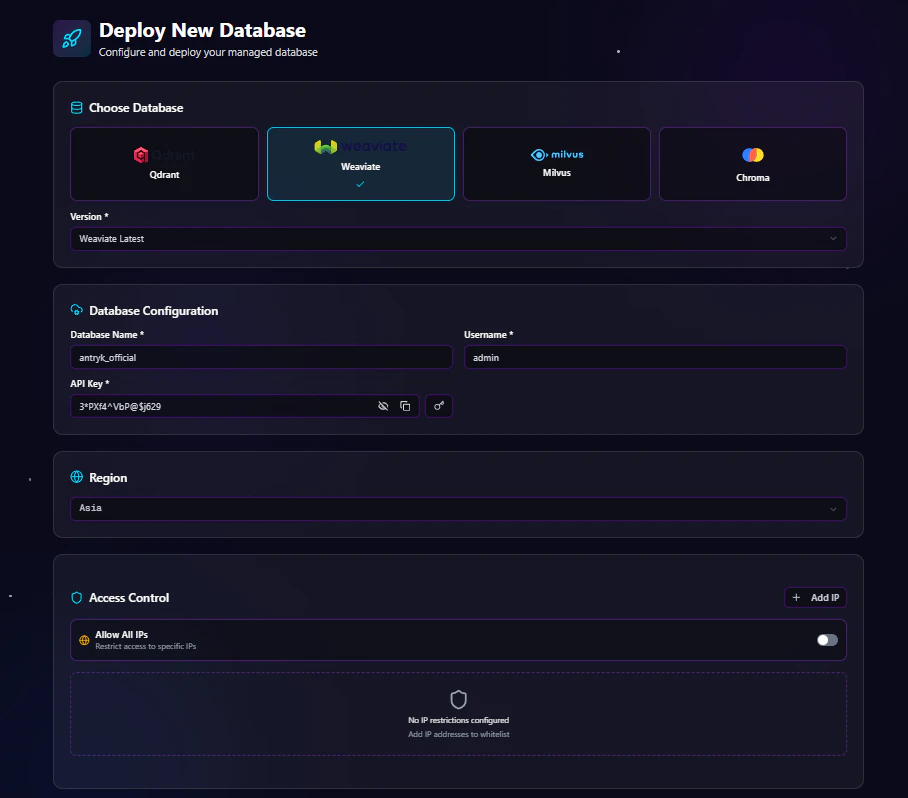
Step 1: Choose Database Type
From the deployment dashboard:- Click Create Database
- Select Weaviate
Step 2: Configure Database Settings
Enter your Weaviate database configuration details.Database Configuration Fields
API Key Options
You can either:- Enter your own API key
- Generate a secure API key using the Generate Key button
Example Configuration
Step 3: Select Deployment Region
Choose the region closest to your users or application infrastructure. Available regions include:- USA
- ASIA
- EUROPE
Step 4: Configure Access Control
Antryk provides flexible database access management.Option 1: Allow Specific IP Addresses
Restrict database access to trusted IP addresses only. Example:Option 2: Allow All IPs
Enable public access from all IP addresses.Recommended only for development environments or temporary testing.
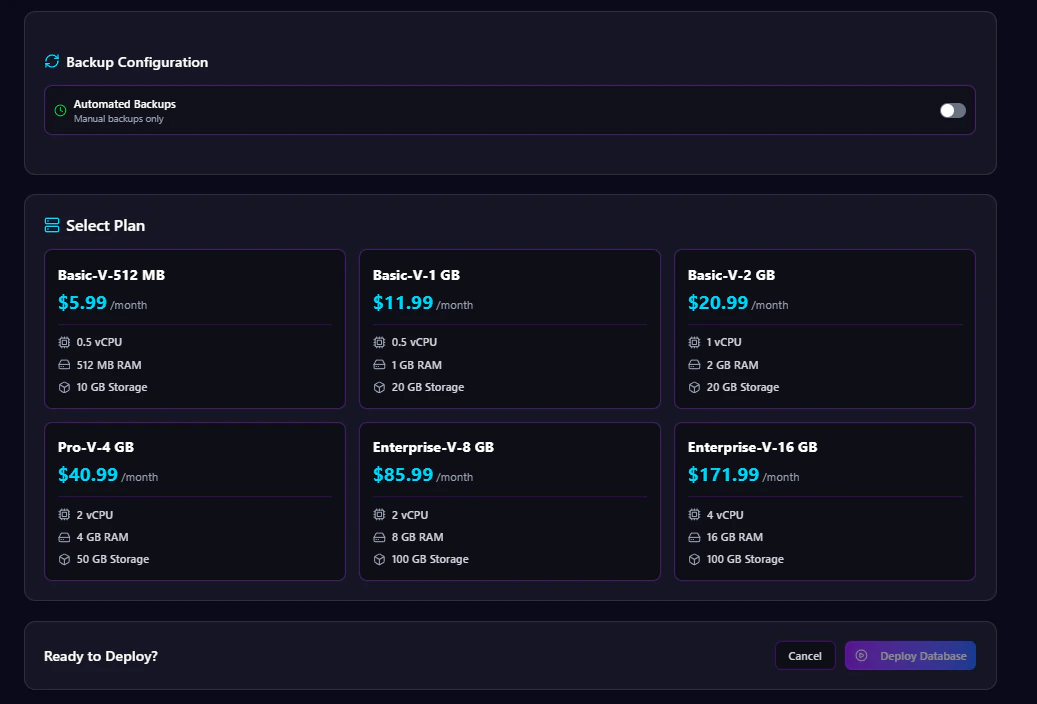
Step 5: Configure Automated Backups
Automated backups help protect your vector data and simplify disaster recovery.Enable or Disable Backups
You can:- Enable automated backups
- Disable automated backups
Backup Frequency Options
If backups are enabled, choose a backup schedule:- Hourly
- Daily
- Monthly
Backup Retention Options
Select how long backups should be stored:- 7 Days
- 14 Days
- 30 Days
- 90 Days
Step 6: Select a Plan
Choose a Weaviate plan based on your workload requirements. Plans may vary based on:- CPU
- Memory
- Storage
- Network performance
- Backup limits
Step 7: Deploy Database
After completing configuration:- Review all settings
- Click Deploy Database
Weaviate Database Overview Page
The Overview page provides essential deployment and connection information.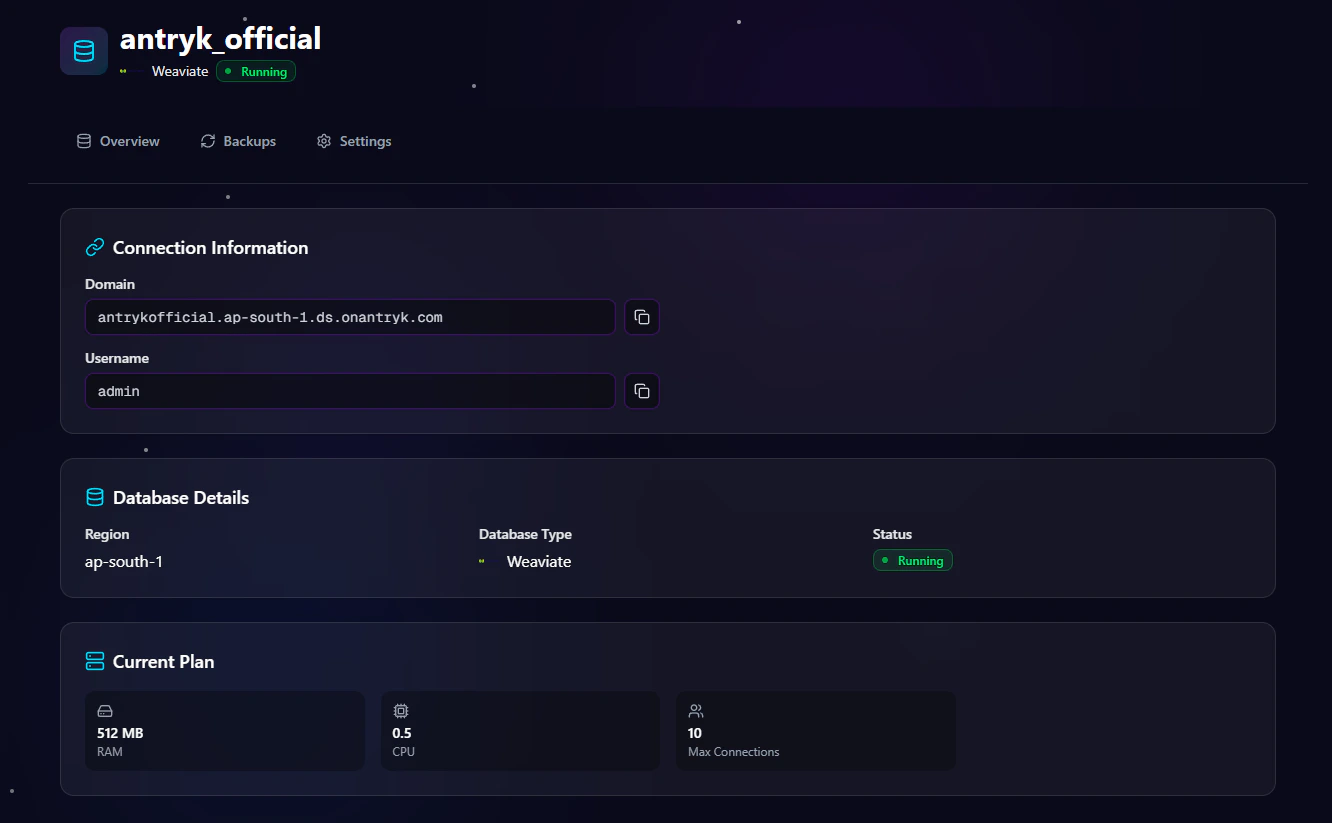
Available Information
Domain
Use the generated Weaviate domain endpoint to connect your applications and AI services. Example:Username
Use the generated username together with your API key to authenticate your application connections. Example:Weaviate Settings Page
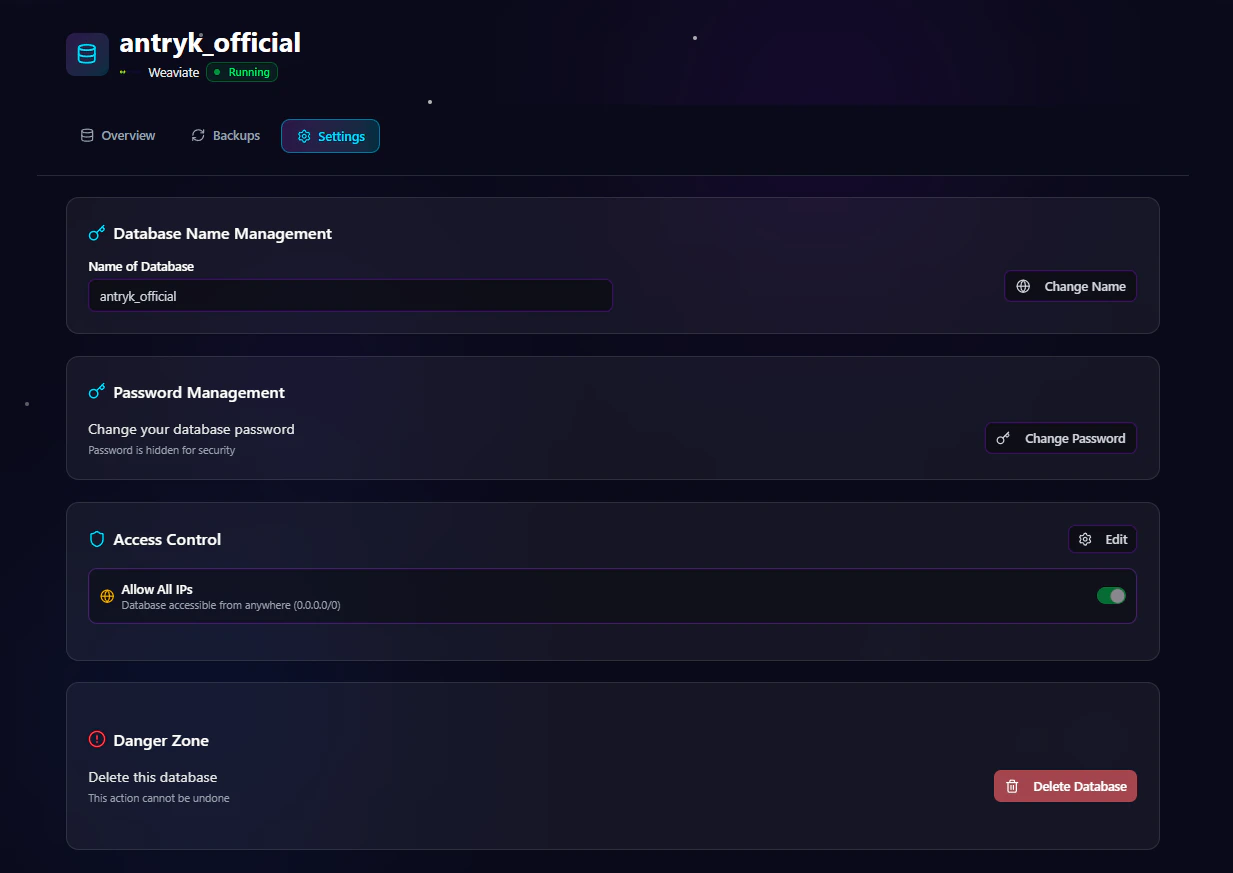
Available Settings
Change API Key
Rotate API credentials securely without redeploying the database.Regenerate API Key
Generate a new API key for secure integrations.Rename Database
Update the database name when needed.Update Access Control
Modify IP allowlists or enable/disable public access.Delete Service
Permanently remove the Weaviate deployment.Warning: Deleting a service permanently removes the database and associated vector data.
Weaviate Backup Page
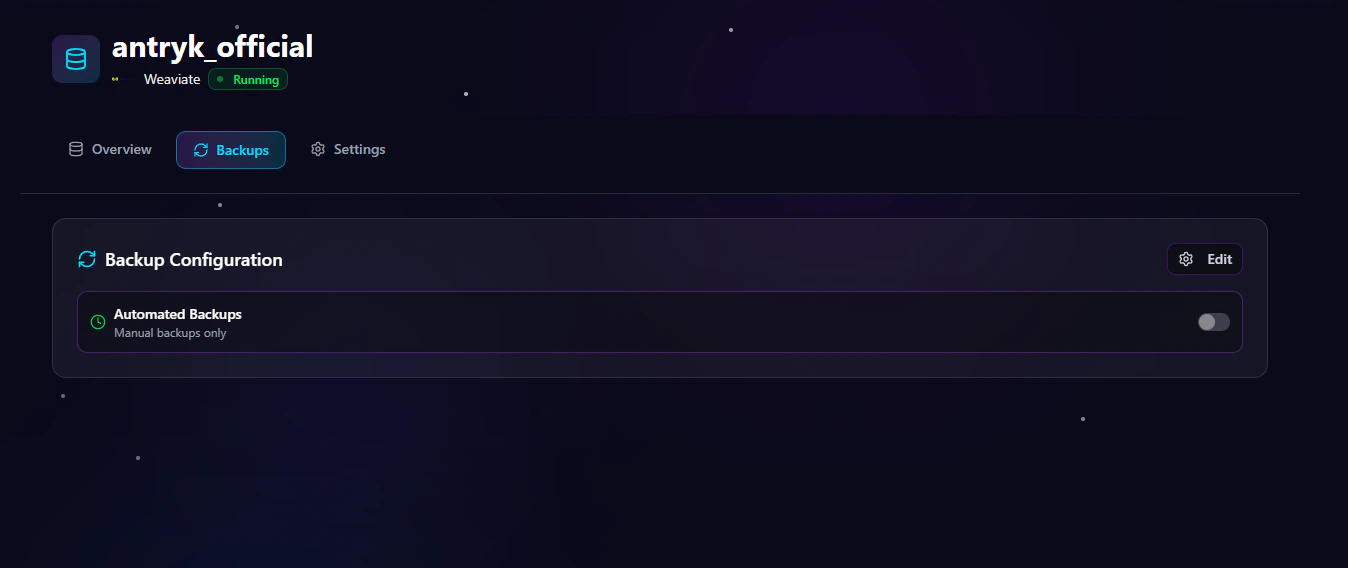
Backup Management Features
Update Backup Frequency
Change backup schedules anytime:- Hourly
- Daily
- Monthly
Modify Retention Period
Adjust how long backups are stored:- 7 Days
- 14 Days
- 30 Days
- 90 Days
Enable or Disable Backups
Turn automated backups on or off depending on project requirements.Scaling
Weaviate on Antryk supports flexible scaling options for growing AI workloads and vector search applications.Scaling Features
Vertical Scaling
Increase CPU and memory resources to improve vector query performance and handle larger workloads.Horizontal Scaling
Add read replicas to distribute query traffic and improve high-availability performance.Storage Scaling
Automatic storage scaling helps manage growing vector datasets without manual intervention.Security
Antryk Weaviate deployments include multiple built-in security controls for protecting vector data and AI infrastructure.Built-In Security Features
SSL/TLS Encryption
Encrypted connections are required to secure data in transit.VPC Integration
Private network connectivity for secure internal communication.IP Whitelisting
Restrict database access to approved IP addresses only.Authentication
Secure username and API key authentication for database access and integrations.Backups
Reliable backup management helps protect your vector data and AI indexes.Backup Features
Automatic Backups
Scheduled automated backups run daily for disaster recovery and data protection.Manual Backups
Create on-demand backups whenever needed before migrations or major updates.Monitoring
Monitor Weaviate database performance and infrastructure health directly from the Antryk platform.Monitoring Features
Query Performance
Identify slow vector queries and optimize search performance.Storage Usage
Track disk usage and monitor vector dataset growth trends.CPU & Memory Metrics
Monitor infrastructure resource utilization and workload performance.Common Weaviate Use Cases
Weaviate is ideal for modern AI-powered applications and vector search systems.Popular Use Cases
- AI chatbots
- Semantic search engines
- Recommendation systems
- Retrieval-Augmented Generation (RAG)
- AI document search
- Image similarity search
- Vector similarity search
- Personalized search systems
- Machine learning applications
- Generative AI platforms
Connecting to Weaviate
Use the domain endpoint, username, and API key from the Overview page to connect your application.Node.js Example
Python Example
cURL Example
Best Practices
Recommended Production Configuration
- Use restricted IP access
- Enable automated backups
- Use strong API keys
- Deploy in the closest region to your users
- Rotate API keys regularly
- Monitor vector storage growth
- Enable SSL/TLS connections
- Use private networking when possible
Why Choose Weaviate on Antryk?
Antryk simplifies vector database infrastructure management so teams can focus on building AI applications instead of managing servers and infrastructure.Benefits
- Fast vector database deployment
- Simplified AI infrastructure management
- Secure authentication and networking
- Flexible backup management
- Regional deployments
- Production-ready vector search performance
- Scalable AI-ready infrastructure
- Developer-friendly experience
- Optimized for semantic search and AI workloads