

Storage Buckets
Antryk Storage Buckets provide scalable object storage infrastructure for applications, websites, media assets, backups, AI datasets, and static content delivery. Store and manage files securely with global access, CDN-ready endpoints, file explorer management, and developer-friendly APIs. You can integrate storage services using the official @antryk/sdk package.What are Storage Buckets?
Storage Buckets are cloud object storage containers used to store and organize files such as:- Images
- Videos
- Documents
- Static assets
- Application uploads
- Backups
- AI datasets
- Media files
Storage Features
Global Infrastructure
- Multi-region deployment
- High availability architecture
- CDN-ready object delivery
- Optimized file access
- Low-latency storage endpoints
File Management
- Upload and download files
- Folder-based organization
- File explorer interface
- File metadata inspection
- Signed URL generation
Security & Access Control
- Configurable CORS policies
- Private and public object access
- Secure object URLs
- HTTPS endpoints
- Signed URL support
Developer Experience
- SDK integration
- REST APIs
- Object metadata APIs
- File search functionality
- Structured storage management
Common Use Cases
Application Uploads
Store user-uploaded files such as:- Profile images
- Documents
- Attachments
- Media uploads
Static Asset Hosting
Serve:- Images
- CSS files
- JavaScript bundles
- Fonts
- Website assets
Media Storage
Store:- Videos
- Audio files
- Podcasts
- Streaming assets
AI & Data Storage
Manage:- AI datasets
- Training assets
- Model artifacts
- Embeddings
- Backup archives
SDK & API Usage
Antryk provides SDKs and APIs for managing storage buckets and objects. Supported operations include:- Upload objects
- Delete objects
- Read bucket contents
- Retrieve metadata
- Browse files and folders
Storage API Reference
Learn how to upload, delete, retrieve, and manage storage objects using APIs
and SDKs.
Deploying a Storage Bucket
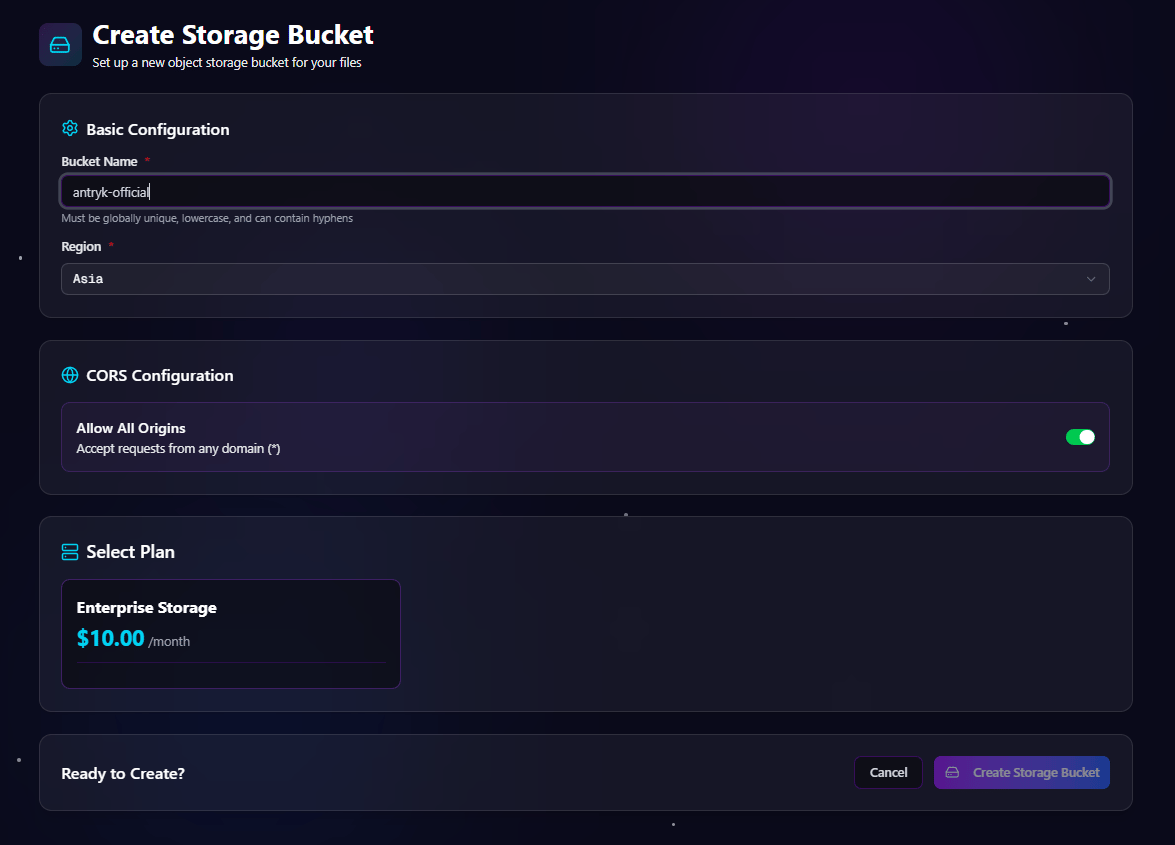
You can deploy new storage buckets directly from the Antryk dashboard. The deployment workflow allows you to configure region selection, CORS policies, and storage plans.Bucket Deployment Form
During bucket creation, you configure:Supported Regions
- Asia
- Europe
- USA
CORS Configuration
You can configure bucket access policies using:- Allowed origins list
- Allow all origins toggle
Deployment Workflow
- Open the Storage dashboard
- Click Create Bucket
- Enter a unique bucket name
- Select deployment region
- Configure CORS settings
- Select a storage plan
- Click Create Bucket
Deploy Bucket Form
Storage Dashboard
All deployed buckets are available from the storage dashboard. The dashboard provides storage analytics, bucket monitoring, and quick access to bucket management pages.Bucket Listing Information
Each bucket displays the following information: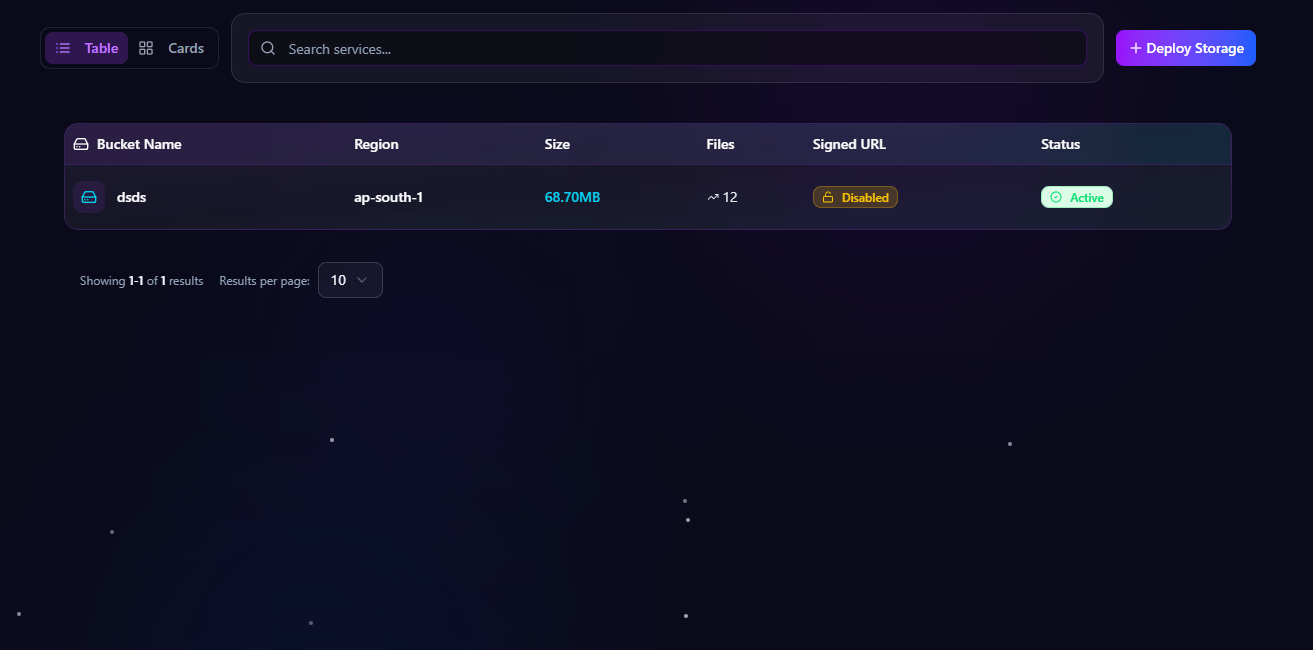
Bucket Detail Pages
Each storage bucket includes dedicated management pages for:- Overview
- Files
- Settings
Overview Page
The overview page displays storage analytics, bucket information, and endpoint configuration.Overview Information
Storage Analytics
Bucket Information
Endpoint Information
Each bucket includes dedicated endpoints such as:
Files Page
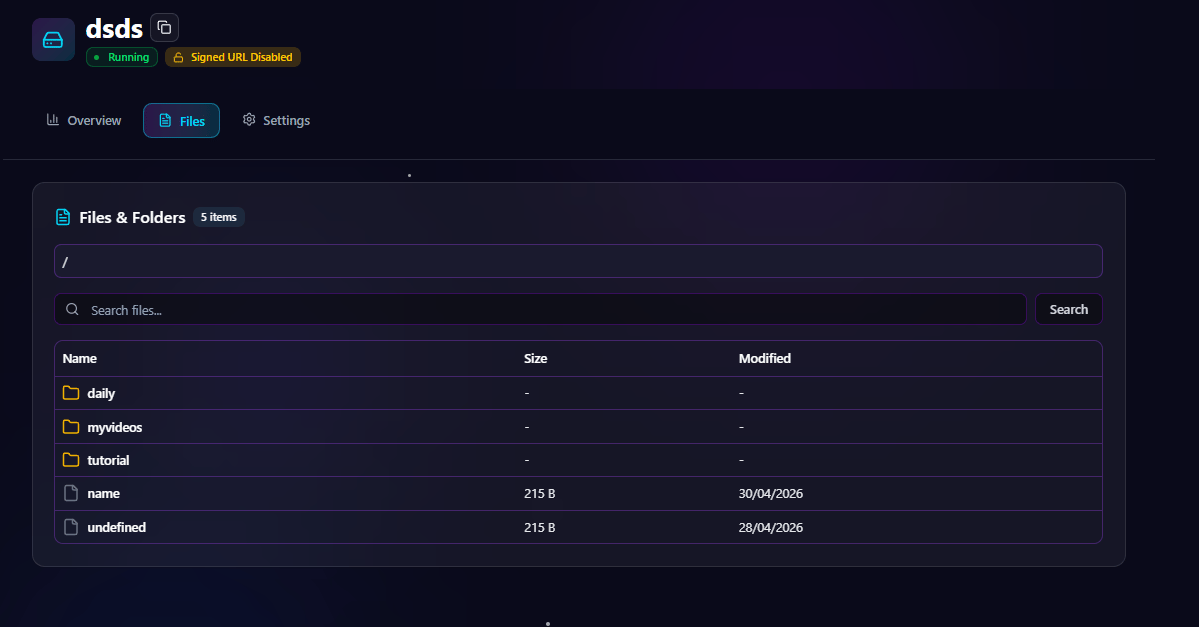
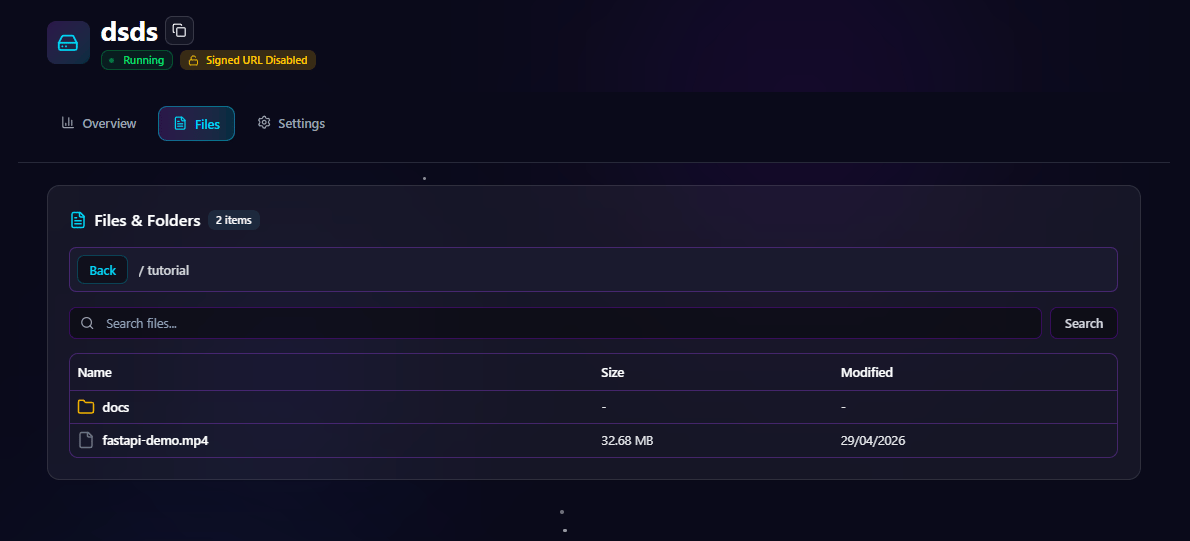
The files page provides a complete file explorer interface for browsing bucket contents. Users can search, navigate folders, inspect files, and manage objects directly from the dashboard.File Explorer Features
File & Folder Navigation
- Browse folders
- Open nested directories
- Navigate object hierarchy
- View files in explorer layout
Search Functionality
Search files and folders instantly using:- File name
- Folder name
- Object key
Object Management
- Inspect file details
- Download files
- Copy URLs
- View metadata
Files Explorer Page
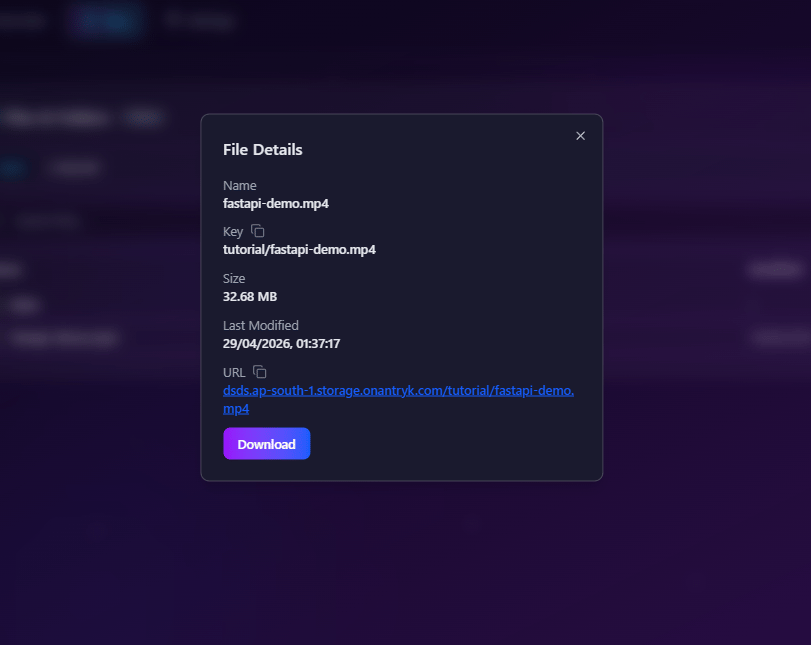
File Details Dialog
Clicking a file opens a detailed object information dialog. This helps developers and administrators inspect storage objects quickly.File Information
Actions
- Download file
- Copy URL
- Inspect metadata
File Details Dialog
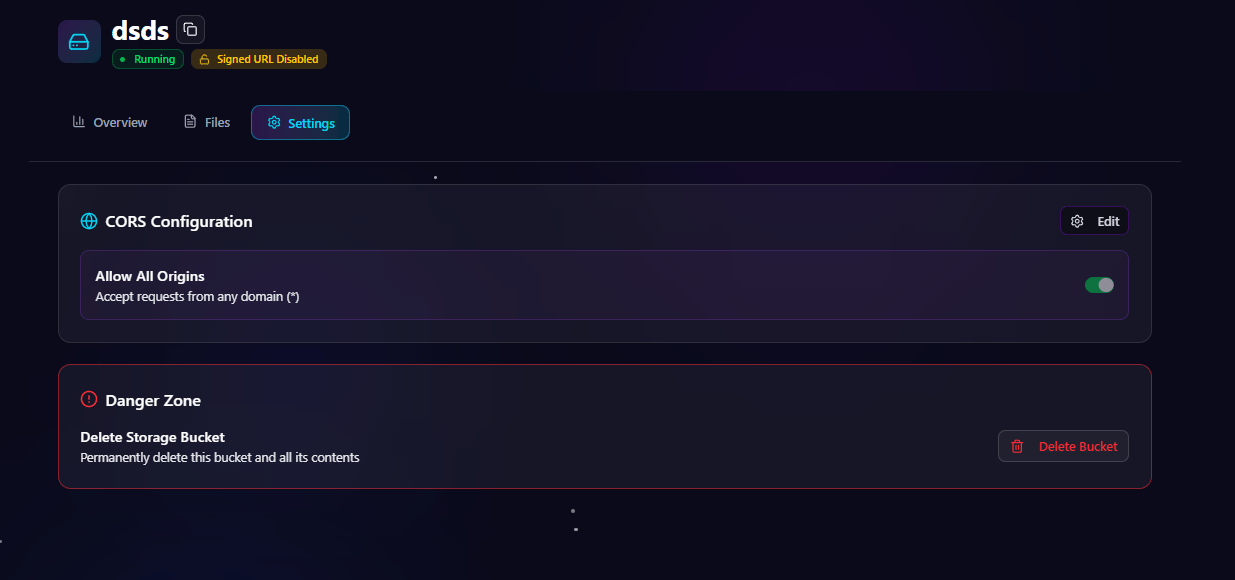
Settings Page
The settings page allows administrators to manage bucket-level configurations.CORS Configuration
CORS settings control which domains are allowed to access bucket resources. You can:- Add allowed domains
- Remove origins
- Enable allow-all origins
- Configure frontend access policies
Bucket Settings Page
Storage Architecture
Antryk Storage infrastructure is designed for reliability and scalability.Platform Features
- Multi-region deployment
- High availability
- Object durability
- Secure object access
- Optimized storage endpoints
- CDN-ready infrastructure
Security Features
- HTTPS-only endpoints
- Configurable CORS
- Signed URL support
- Secure SDK authentication
- Protected object delivery
Monitoring & Analytics
Track storage usage and bucket performance directly from the dashboard.Monitoring Capabilities
- Storage usage
- Total object count
- Upload activity
- File access analytics
- Signed URL monitoring
- Regional bucket metrics
Tutorial Video
Watch the complete tutorial for deploying and managing storage buckets on Antryk.Best Practices
Bucket Organization
- Use descriptive bucket names
- Organize files into folders
- Separate environments by bucket
- Keep object keys predictable
Security
- Configure CORS carefully
- Use signed URLs for private content
- Restrict public access when necessary
- Monitor bucket activity regularly
Performance
- Use regional buckets close to users
- Optimize media assets
- Structure folders efficiently
- Use CDN-ready delivery paths