

Invoices & Billing History
Invoices & Billing History allows workspace owners and administrators to review generated invoices, monitor payment activity, and manage billing records for infrastructure usage and platform services inside Antryk. Using the Invoices dashboard, users can:- View generated invoices
- Monitor payment status
- Review billing periods
- Track due balances
- View tax breakdowns
- Access service-level charges
- Manage outstanding payments
- Maintain billing records
What is the Invoices Dashboard?
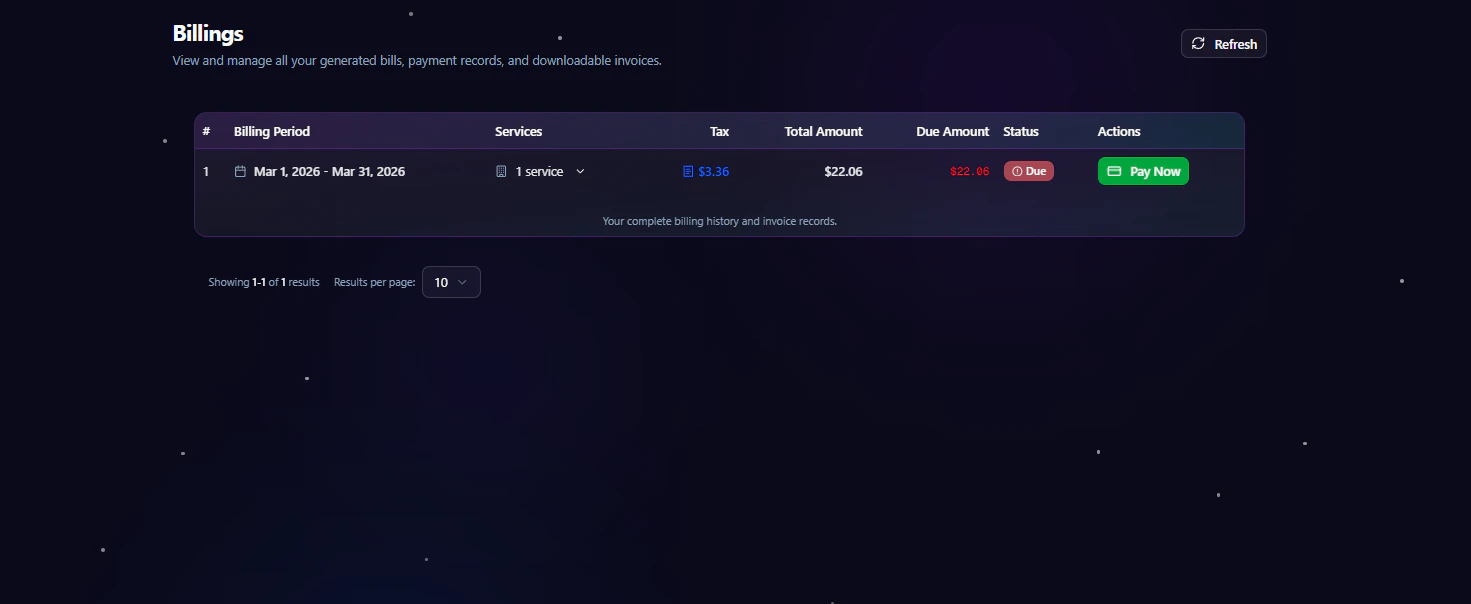
The Invoices dashboard provides a centralized overview of all generated billing records associated with a workspace. Instead of manually tracking infrastructure costs, users can review detailed invoice history directly inside the platform. Each invoice includes:- Billing period
- Service usage summary
- Tax information
- Total invoice amount
- Outstanding due amount
- Invoice payment status
- Available payment actions
Invoice Management Dashboard
When users navigate to Invoices inside the workspace, they are redirected to the invoice management dashboard. The dashboard allows users to:- Review billing history
- View invoice details
- Monitor due payments
- Track paid and unpaid invoices
- Access service charges
- Pay outstanding invoices
- Refresh invoice records
Invoice Overview
Each invoice entry contains detailed billing information for a specific billing cycle. The invoice table includes the following information:
This structure helps organizations quickly review financial activity and outstanding balances.
Billing Periods
Invoices are generated based on workspace billing cycles and infrastructure usage periods. Billing periods may include charges related to:- Cloud infrastructure
- Deployments
- Hosting resources
- Managed services
- Networking usage
- Platform operations
Payment Status
Every invoice includes a real-time payment status indicator. Supported invoice statuses include:
This enables teams to monitor operational billing health efficiently.
Paying Invoices
Users can pay outstanding invoices directly from the dashboard. To pay an invoice:- Open the Workspace Dashboard
- Navigate to Billings
- Locate the invoice with an outstanding balance
- Click Pay Now
- Complete the payment process
Service-Level Billing
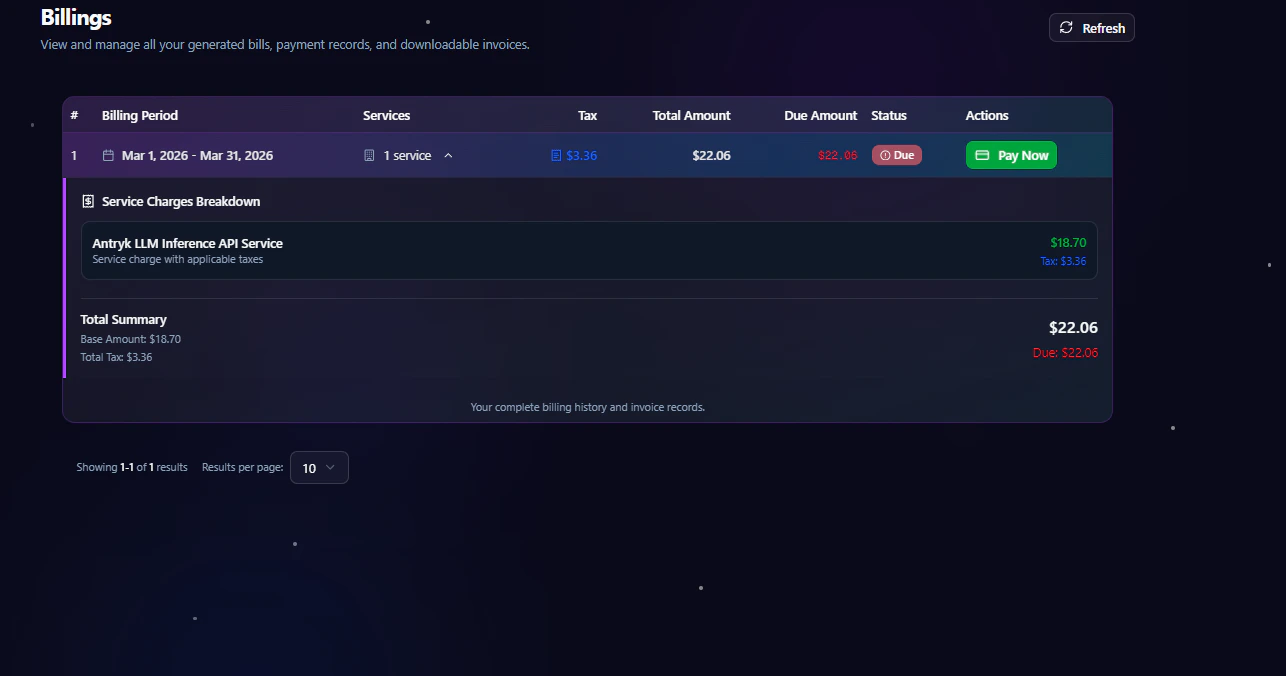
Invoices provide visibility into service-specific billing usage. Users can review:- Number of billed services
- Usage-related charges
- Tax calculations
- Outstanding balances
- Historical billing activity
Refreshing Invoice Data
The dashboard includes a refresh option to retrieve the latest billing and payment information. Refreshing invoice data allows users to:- Sync recent payments
- Update invoice status
- Retrieve newly generated invoices
- Refresh billing records
Security & Financial Management
Invoice management inside Antryk is designed to support secure operational billing workflows. Security benefits include:- Centralized billing visibility
- Controlled payment access
- Accurate invoice tracking
- Secure payment workflows
- Financial transparency
- Workspace-level billing management
Best Practices
- Review invoices regularly
- Pay outstanding balances promptly
- Monitor tax and billing accuracy
- Refresh invoice records periodically
- Maintain updated billing information