
Members & Access Management
Members & Access Management allows teams to securely collaborate inside an Antryk workspace by inviting teammates, assigning roles, and controlling access permissions across infrastructure and platform resources. Using Access Management, workspace owners and administrators can:- Invite team members
- Delegate account access
- Assign predefined roles
- Manage workspace permissions
- Control infrastructure access
- Review invitation status
- Edit member permissions
- Monitor active collaborators
What is Access Management?
Access Management provides role-based permissions for users inside an Antryk workspace. Instead of sharing a single account, organizations can securely invite developers, administrators, and collaborators with controlled permissions. This enables secure team collaboration while maintaining operational control over infrastructure resources and account settings.Access Management Dashboard
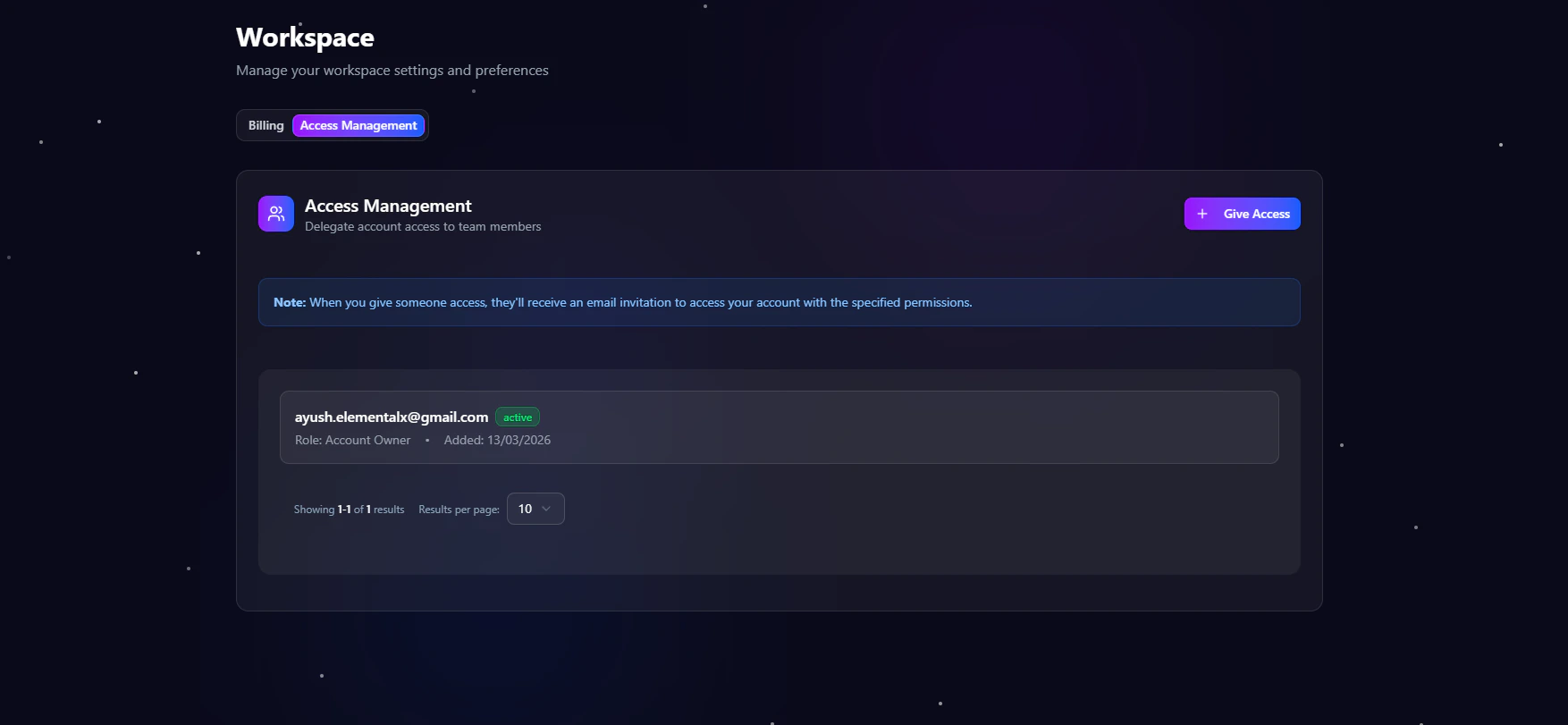
When users click Members inside a workspace, they are redirected to the Access Management dashboard. The dashboard allows administrators to:- Invite new members
- Assign workspace roles
- Manage existing members
- Track invitation status
- Edit permissions
- Remove workspace access
- Review role-based capabilities
Invite Team Members
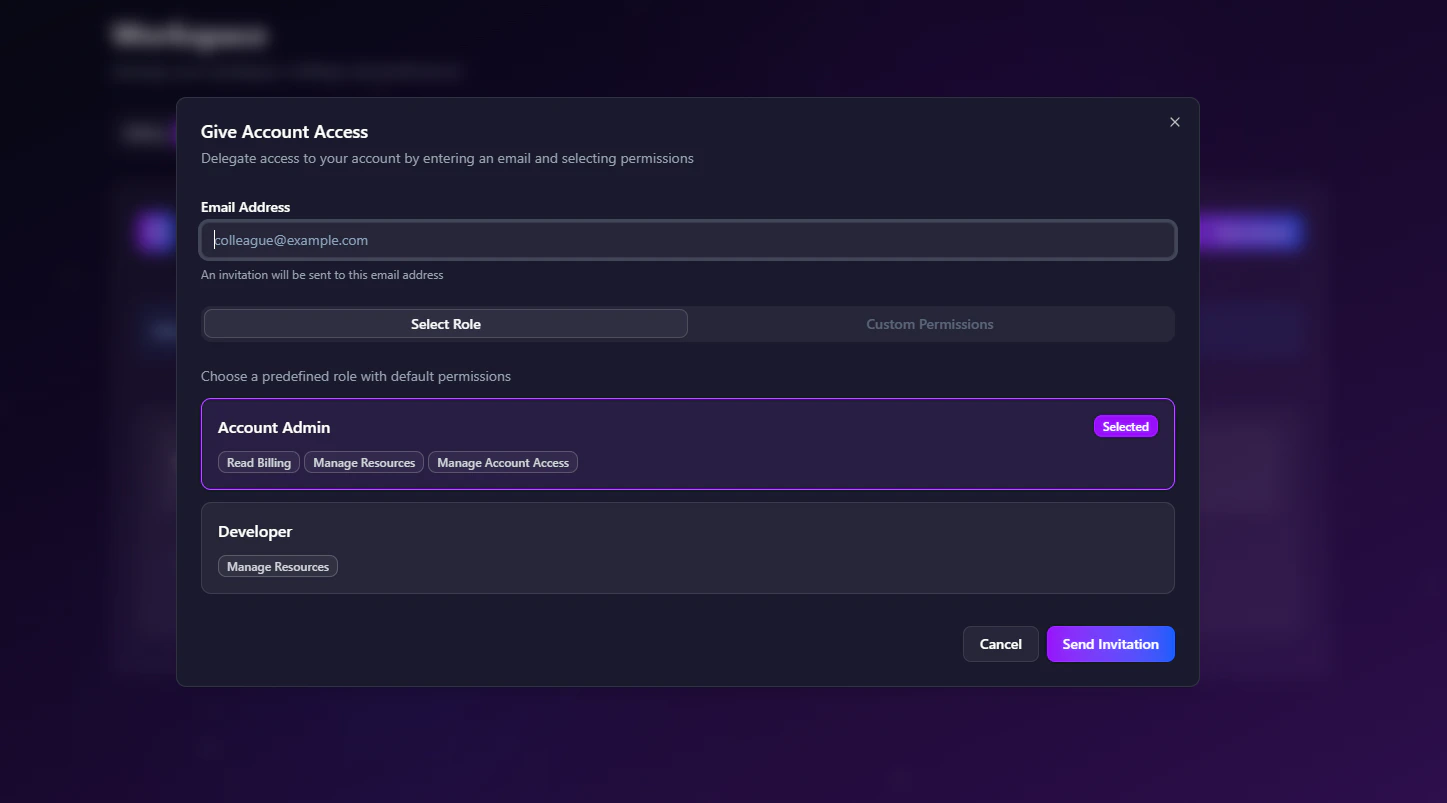
Workspace owners and administrators can invite new users directly from the dashboard. To invite a member:- Open the Workspace Dashboard
- Navigate to Members
- Click Give Account Access
- Enter the teammate’s email address
- Select a role
- Send the invitation
Role-Based Access Control
Antryk uses role-based access control (RBAC) to manage workspace permissions securely. Each role determines what resources and actions a member can access inside the workspace.Available Roles
Account Admin
Account Admins have elevated permissions and can manage workspace infrastructure and operational settings.Account Admin Permissions
- Read billing information
- Manage resources
- Manage account access
- View deployments
- Configure infrastructure
- Manage domains and redirects
- Access logs and settings
Best For
- Team leads
- DevOps engineers
- Infrastructure administrators
- Workspace owners
Developer
Developers can access and manage application resources while having limited administrative permissions.Developer Permissions
- Manage resources
- Deploy services
- View logs and deployments
- Access application configuration
Restrictions
Developers cannot:- Manage billing
- Modify account ownership
- Change workspace access permissions
Best For
- Application developers
- Backend engineers
- Frontend teams
- QA engineers
Custom Permissions
In addition to predefined roles, Antryk supports customizable permission-based access management. Workspace administrators can configure granular access controls for:- Resource management
- Deployment permissions
- Environment configuration
- Domain access
- Infrastructure operations
Invitation Management
The Access Management dashboard displays all active members and pending invitations.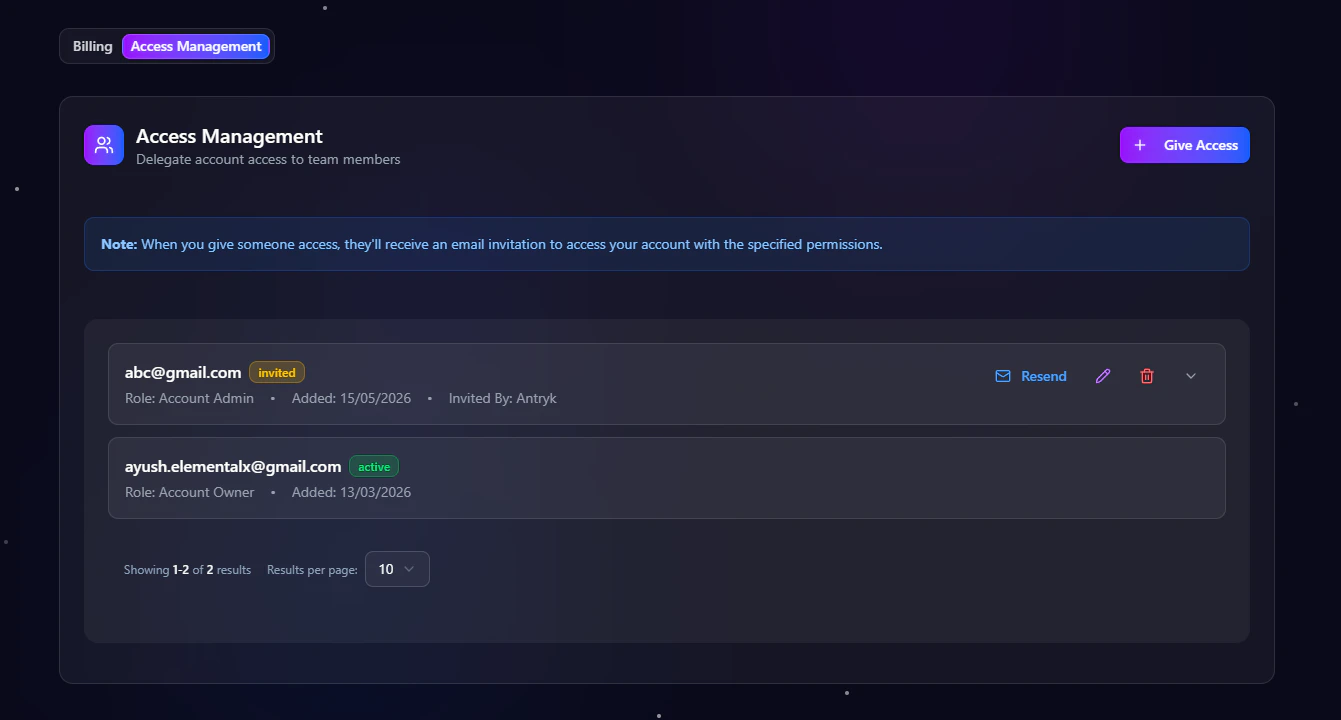
- Active workspace members
- Pending invitations
- Invitation status
- Assigned roles
- Permission levels
- Invitation timestamps
Invitation Status
Each invite includes a real-time status indicator. Supported statuses include:Managing Member Access
Workspace administrators can manage existing member access directly from the dashboard. Supported actions include:- Edit member roles
- Update permissions
- Revoke workspace access
- Resend invitations
- Remove collaborators
- Review access history
Security Benefits
Members & Access Management improves workspace security by:- Eliminating shared credentials
- Enabling role-based permissions
- Restricting infrastructure access
- Supporting secure collaboration
- Providing controlled operational access
Common Use Cases
Team Collaboration
Invite developers and operators to manage shared infrastructure securely.Infrastructure Management
Allow DevOps teams to manage deployments and production services.Controlled Access
Restrict sensitive actions like billing and account access to administrators only.Multi-Team Workspaces
Support engineering, QA, and operations teams inside a single workspace with different permissions.Best Practices
- Assign the minimum permissions required
- Use Admin roles only for trusted operators
- Regularly review active members
- Remove unused invitations
- Monitor workspace access activity
Access Management Overview
Members & Access Management gives organizations secure and scalable team collaboration capabilities for managing cloud infrastructure on Antryk. Using Access Management, teams can:- Invite workspace members
- Delegate account access securely
- Assign predefined roles
- Configure custom permissions
- Manage infrastructure collaboration
- Monitor invitation status
- Control operational access
Manage Your Workspace Members
Get started with Access Management